ℹ️ LHDN e-Invoicing is phased in by revenue: firms with annual revenue of RM3 million and above must issue e-Invoices; smaller firms are exempt. HASiL timeline →
🧾  LHDN MyInvois Compliant

Built for How Law Firms Actually Bill

LexBill is not a generic invoicing tool. Every feature is designed around the Client/Matter workflow of Malaysian legal practice — with full LHDN e-Invoice compliance built in.

Try Live Demo → Start Free Trial

Free demo access · No signup required · Credentials emailed instantly

Client Management

Every Client. Every Matter. Organised.

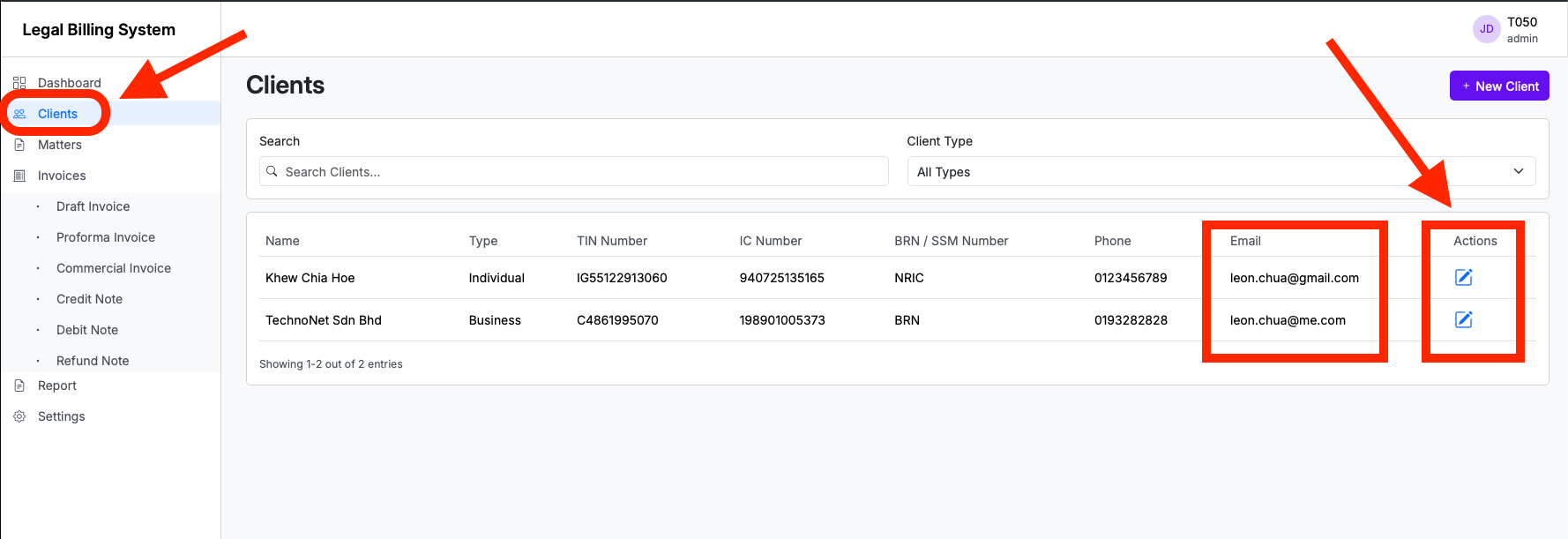
Create client profiles with full contact details, TIN, and billing preferences. Under each client, manage unlimited matters — each with its own billing items, disbursements, and invoice history.

  • ✓ Unlimited clients and matters per subscription
  • ✓ Import existing data from CSV or Excel
  • ✓ Consolidated billing across multiple matters per client
  • ✓ Full matter history and billing audit trail
Clients
3 clients
Client Matters Outstanding
Ahmad Bin Razali
C600123456789
4 active RM 0.00
Prisma Data Sdn Bhd
C198901003875
2 active RM 3,200.00
Lim & Partners LLP
C201801234567
7 active RM 0.00

Billing

Legal Fees, Disbursements & SST — One Clean Invoice

Build a matter's bill the way a law firm actually bills — professional fees, reimbursements, and disbursements each on their own lines, with the tax handled correctly for you.

  • ✓ Separate sections for Legal Fees, Reimbursements, and Disbursements
  • ✓ Service Tax (SST) applied automatically at the correct rate — and correctly excluded from disbursements like stamp duty and adjudication fees
  • ✓ Bill / unbilled toggle on every line — bill now or hold it for a later invoice
  • ✓ Live invoice summary totals subtotal, tax, and rounding — then generate the LHDN e-Invoice in one click
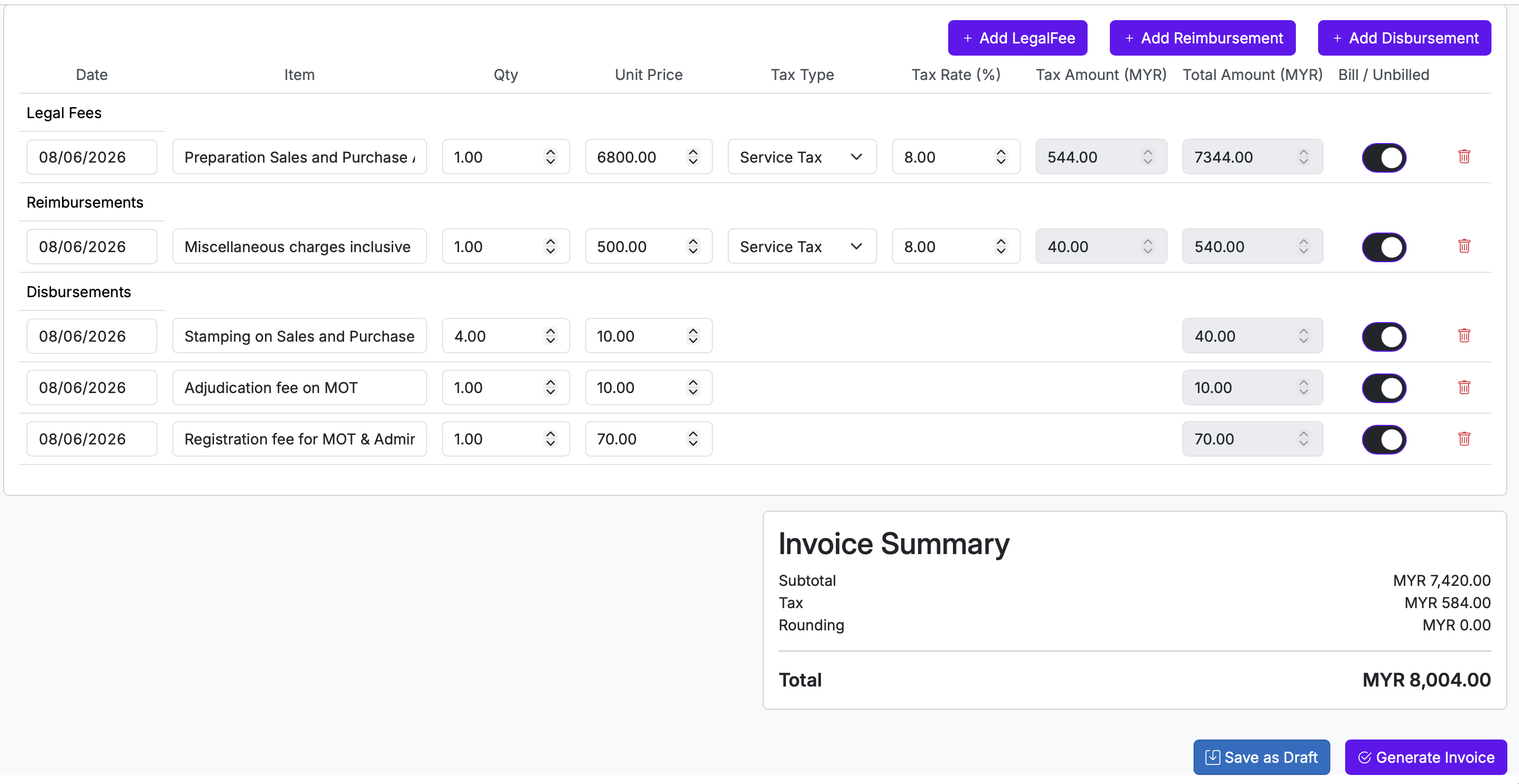
LexBill invoice composition — legal fees, reimbursements, disbursements with SST and invoice summary

LHDN MyInvois

e-Invoice Submission — Fully Automated

LexBill connects directly to the LHDN MyInvois API. Choose between two submission modes based on your firm's billing cycle.

🗓 Consolidated e-Invoice

Batches all invoices for the month and auto-submits to LHDN on a pre-set date (1st–7th of each month). Ideal for firms with regular monthly billing cycles.

⚡ Individual e-Invoice

Submit a single invoice to LHDN immediately on demand. For urgent matters or clients who require instant e-Invoice documentation.

Cancellations processed within 72 hours. After 72 hours, credit or refund notes are issued per LHDN rules.

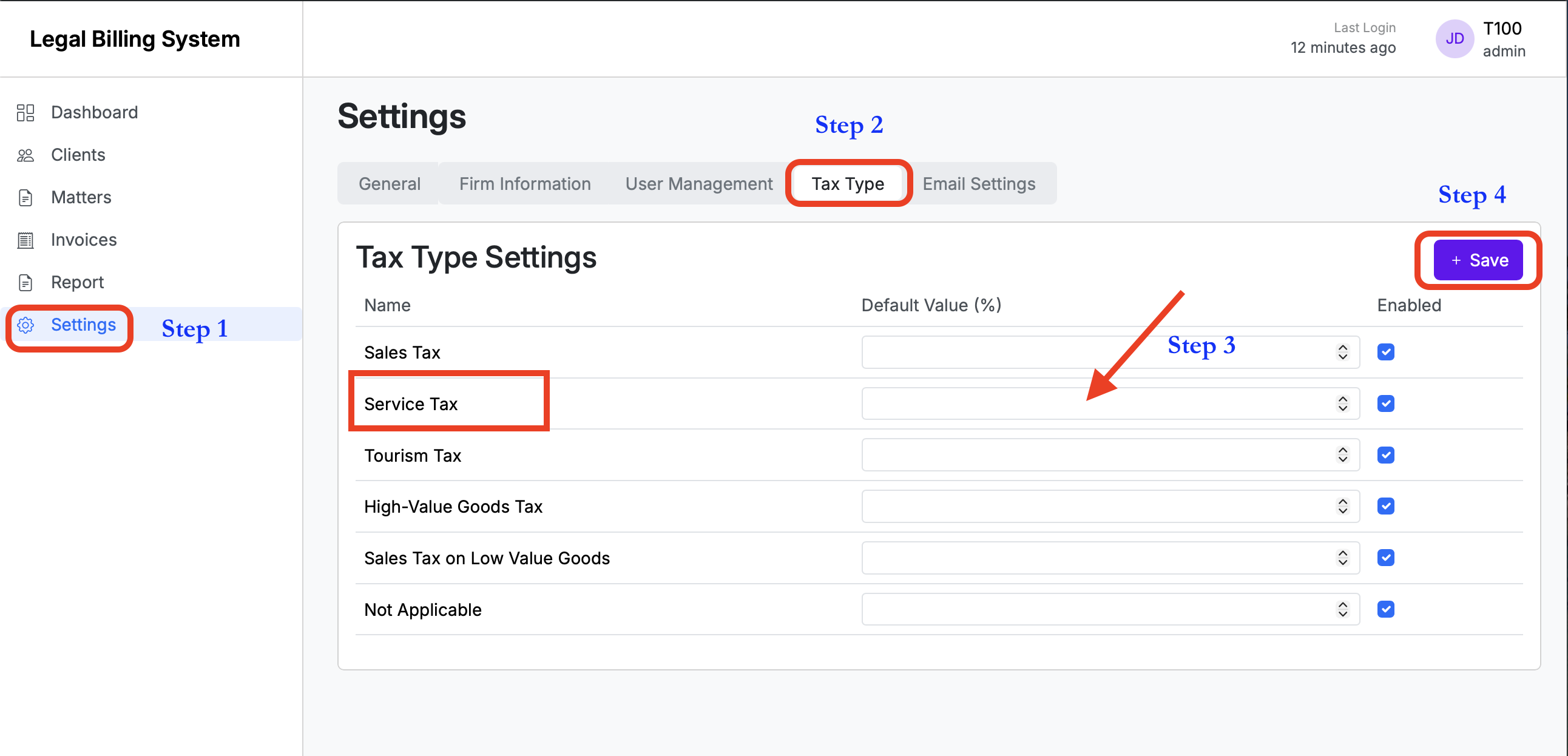
Tax type configuration — LexBill

Payments and LHDN Status — Tracked on Every Invoice

Every invoice carries its approval, payment, and live LHDN status in one place — so you always know what has been submitted, validated, and paid.

Invoice list showing Status, Payment Status and LHDN Status columns — Approved, Paid, Valid

Status & Payments

From "Submitted" to "Valid" — With the LHDN UUID on Record

Once an invoice is submitted, LexBill tracks it through to LHDN validation and payment — no spreadsheets, no guessing where a bill stands.

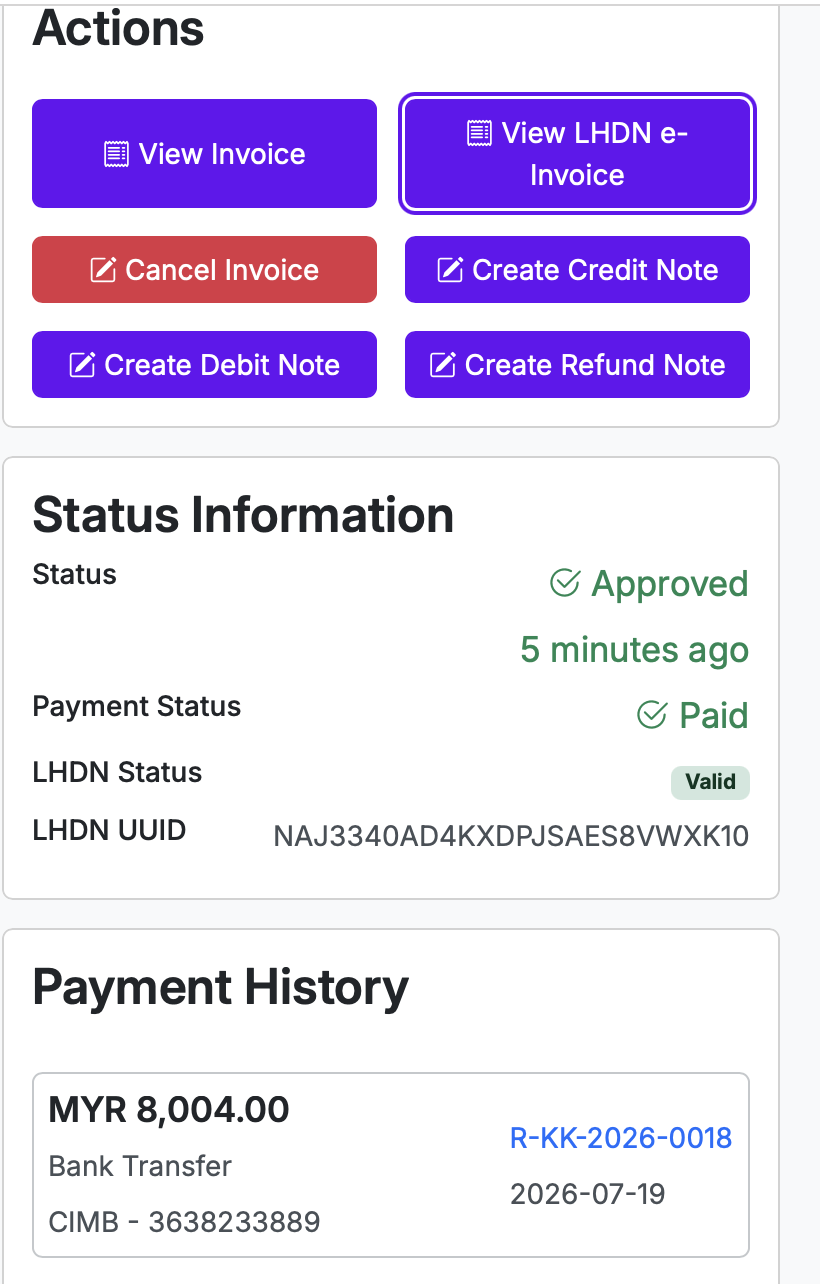
  • ✓ Live LHDN status on every invoice — Submitted, then Valid once LHDN accepts it, with the official LHDN validation UUID stored against the invoice
  • ✓ Record payments in seconds — amount, method, reference and date; paid and outstanding amounts update automatically
  • ✓ Full payment history per invoice, each with its own receipt number
  • ✓ Create credit, debit and refund notes — or cancel — all within LHDN's rules
Invoice Status Information — Approved, Paid, LHDN Status Valid with UUID, and payment history

Sage UBS Accounting

Posts to Sage UBS — Your Accountant Stays in Control

Firms already running Sage UBS Accounting (Desktop 2026) keep it. The LexBill to Sage UBS Data Bridge — our on-premise connector, installed at your firm — turns your billing into a Sage UBS posting file, so nothing is re-keyed by hand.

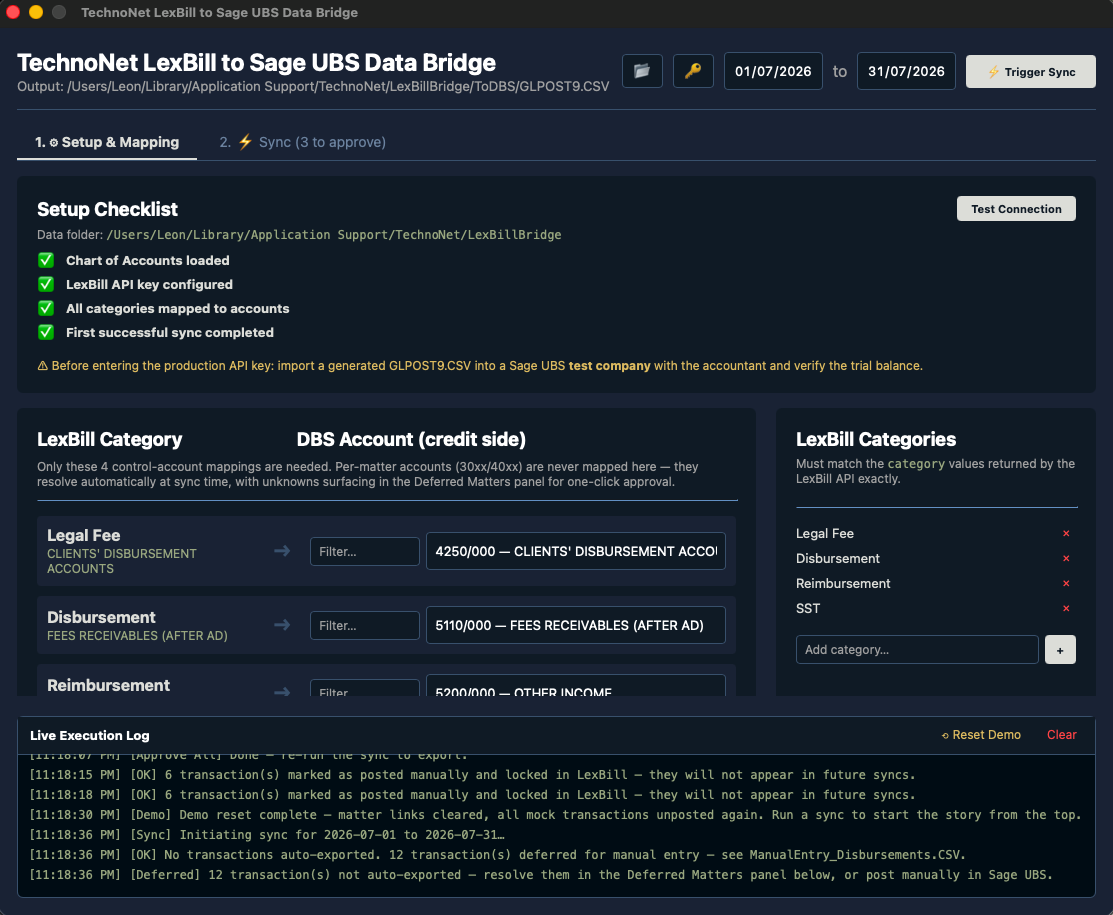
  • ✓ Map your LexBill categories (legal fees, disbursements, reimbursements, SST) to your Sage UBS accounts once — billing posts across from then on
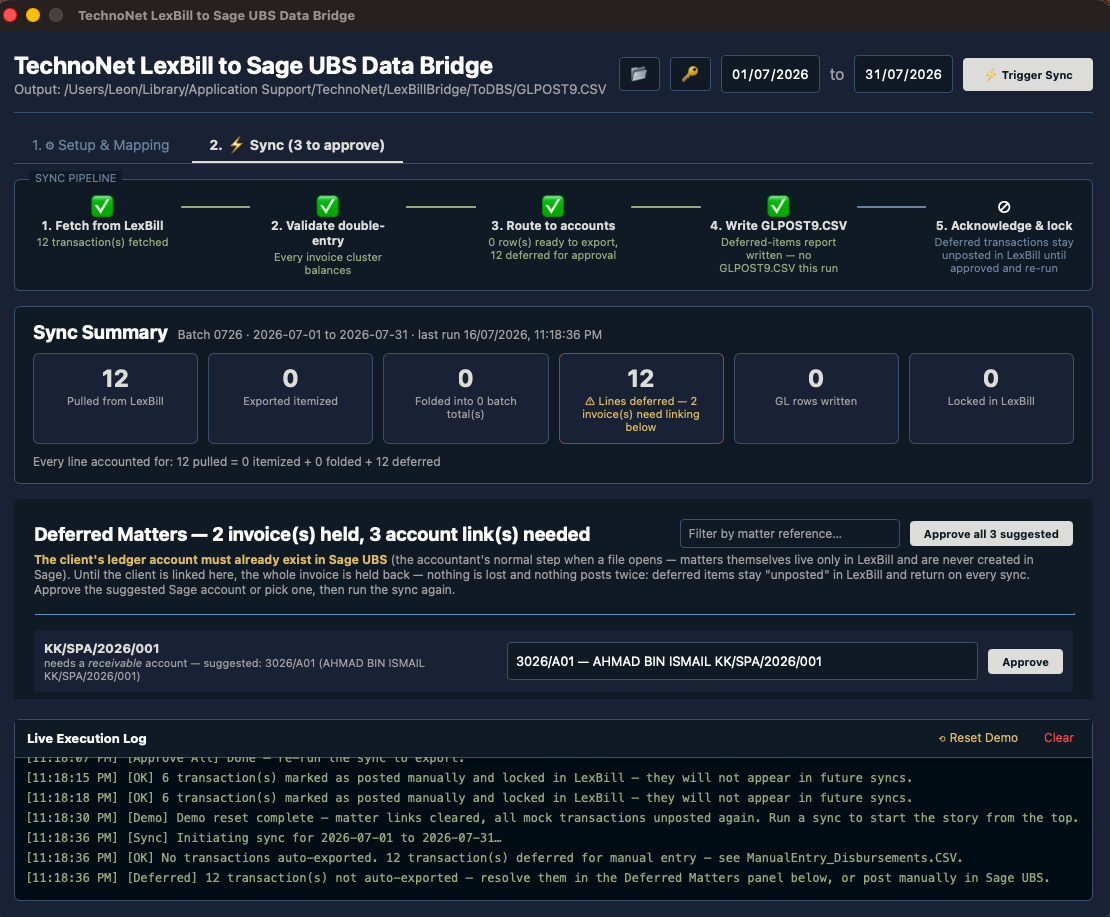
  • ✓ Double-entry is validated before anything is written — every invoice must balance
  • ✓ Nothing posts twice, nothing is lost: an invoice is held until its client ledger account exists in Sage UBS — your accountant approves the link, then it posts
  • ✓ Outputs a standard Sage UBS import file (GLPOST) — no cloud copy of your ledger, installed and maintained by our team
LexBill to Sage UBS Data Bridge — category to account mapping

Every sync is reviewable — held items surface for one-click approval

LexBill to Sage UBS Data Bridge — sync pipeline with double-entry validation and deferred-matter approval

User & Branch Management

Your Whole Firm Under One Subscription

Add unlimited fee earners and support staff. Manage multiple branches from a single admin console. No extra charge per user or branch.

  • ✓ Role-based access: Admin, Fee Earner, Accounts, View-only
  • ✓ Multi-branch support with branch-level reporting
  • ✓ Secure login per staff member — no shared passwords
  • ✓ Full activity audit log for compliance
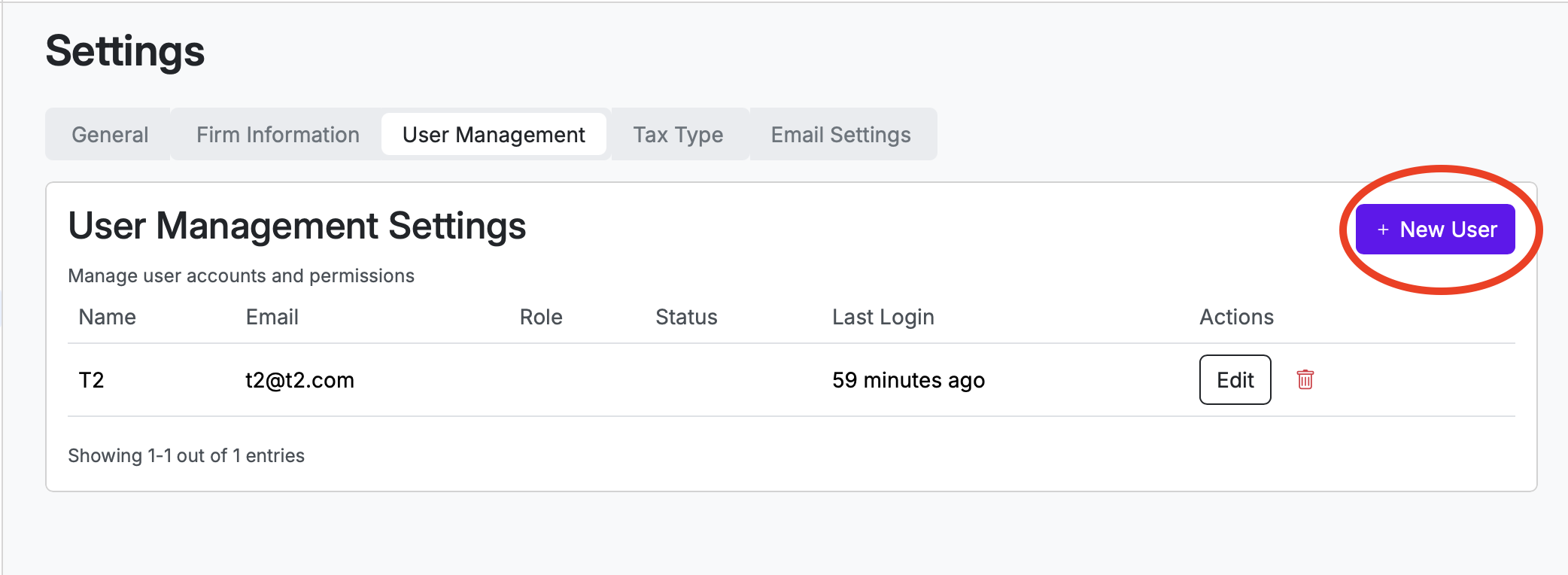
User management — LexBill

Client Notifications

Clients Notified Automatically

When an invoice is issued, LexBill automatically sends a professional email notification to your client — with a PDF copy of the invoice attached. No manual follow-up required.

  • ✓ Automatic invoice email with PDF on issuance
  • ✓ Configurable from-name and reply-to address
  • ✓ Payment reminder emails at configurable intervals
  • ✓ Delivery logs — know when clients receive your invoices
Client email notification — LexBill

Complete Feature List

💸

Disbursement Tracking

Record court fees, stamp duties, registration fees, and all disbursements against a matter. Auto-included in e-Invoice submissions.

💳

Payment Tracking

Record payments received against any invoice. Outstanding balance always visible at the matter and client level.

📊

Billing Reports

Monthly revenue reports, outstanding receivables, matter-level billing summaries. Export to Excel for your accounts team.

🔁

Data Migration

Import existing Client/Matter data from your current system via CSV or Excel. Our team assists with the migration.

🔗

Sage UBS Integration

LexBill integrates with Sage UBS Accounting (Desktop 2026) through the LexBill Middleware — a lightweight connector our team installs at your firm. Your billing flows into the accounts system your bookkeeper already uses — no manual re-entry. Other systems supported via API or export.

🛡️

Secure & Hosted

Cloud-hosted on secure infrastructure. Regular backups. Nothing to maintain on your firm's computers — the optional Sage UBS connector is installed and maintained by our team.

Billing Built for Law Firms. e-Invoicing Built In.

Start your free trial now and our team will get your firm LHDN-authorised quickly.

Start Free — 30 Days Try Live Demo Book a Demo Call